
Why import spreadsheets and Google’s own tool weren’t enough
Until recently, I made bigger changes in Google Ads through bulk imports. Instead of clicking through campaigns one by one, I put together a spreadsheet, uploaded it and hoped it would go through. It worked, but it had a ceiling. Some things you simply can’t do with an import, uploading videos to YouTube for one, and those were back to clicking.
So I paid attention when Google released an official MCP for Google Ads. Put simply, MCP is a plug that lets an AI assistant like Claude reach into another app. The idea of telling Claude what to change in an account, instead of building spreadsheets, and having it done was tempting. But Google’s plug, even now in October 2026, can only read. It pulls data out of the account and can’t change a thing.
I won’t give a stranger’s code access to ad accounts, so I wrote my own
The next step would have been unofficial MCPs from GitHub. There are a few, and some of them can write. That’s where I stopped. Using one means letting code from someone I don’t know into ad accounts, with access that spends money. It’s like handing your flat keys to someone from a classified ad because they promised to water the plants. Maybe they will.
That left one option: write it myself. I’d been itching to build my own tool for a long time, but there was never time for programming, and my knowledge ends at “this is probably Python” :) This time, though, AI could fill the gap. I knew what the tool should do and what it must never do, and Claude wrote the code.
Three days later I had two tools, one for Google Ads and one for Sklik
Building it took about three days. Once I was on a roll I didn’t want to stop at Google, so I added Sklik too. It’s the ad platform of Seznam, the Czech search engine, and I covered both its older Drak API and the newer Fénix. That’s how google‑ads‑mcp and sklik‑mcp came about:
- In Google Ads they handle reports, search terms, negative keywords, Search and PMax campaigns, and uploading images and videos, including what imports wouldn’t let me do.
- In Sklik they cover the whole Drak API plus Fénix, which means smart campaigns and images.
- Both run on my computer, and the account keys stay there.
What I guarded most closely was the very reason I’d turned down other people’s tools. Every change first shows up as a preview and only goes to the account after I approve it. Budgets and bids need one more confirmation on top. This is how it fits together:
- 1ClaudeProposes a change based on what I ask for in the conversation.
- 2The tool on my computerPrepares it as a preview. The account keys stay here and go nowhere else.
- 3MeApprove or discard. Budgets and bids need an extra confirmation.
- 4Google Ads or SklikOnly now is the change written to the account.
And this is what the preview looks like before anything goes to the account:
Keys and writes are under control, but I’m still working out my clients’ personal data
One thing isn’t solved, though, and I keep coming back to it. When Claude reads an account, the data goes into the conversation. And ad accounts don’t hold just numbers. Search terms sometimes include an email address or a phone number, and lead forms and customer lists for remarketing are full of personal data.
That’s why google‑ads‑mcp has a switch. By default it keeps personal data out of the conversation: it refuses to work with customer lists and lead form data, and search terms containing an email address or a phone number stay only in a file on your computer. It isn’t bulletproof, because the filter can’t reliably spot a name or an address typed into the search box. Letting personal data in only makes sense once the paperwork is in order on both sides:
- With your client, this should be covered in the GDPR data processing agreement.
- With Anthropic, the company behind Claude, you need a data processing agreement (DPA). It’s automatically part of the commercial terms for the Claude Team and Enterprise business plans and for the API. The regular Free, Pro and Max plans don’t have it.
So anyone who wants to run the tool on their clients’ accounts should ideally have both. I’m still sorting this out myself, so take it as a heads‑up, not legal advice.
AI wrote most of the code, and that’s exactly why I’m putting it out there
Then there’s the objection I expect most:
“Vibe‑coded software in an account that spends my client’s money? Thanks, I’ll pass.”
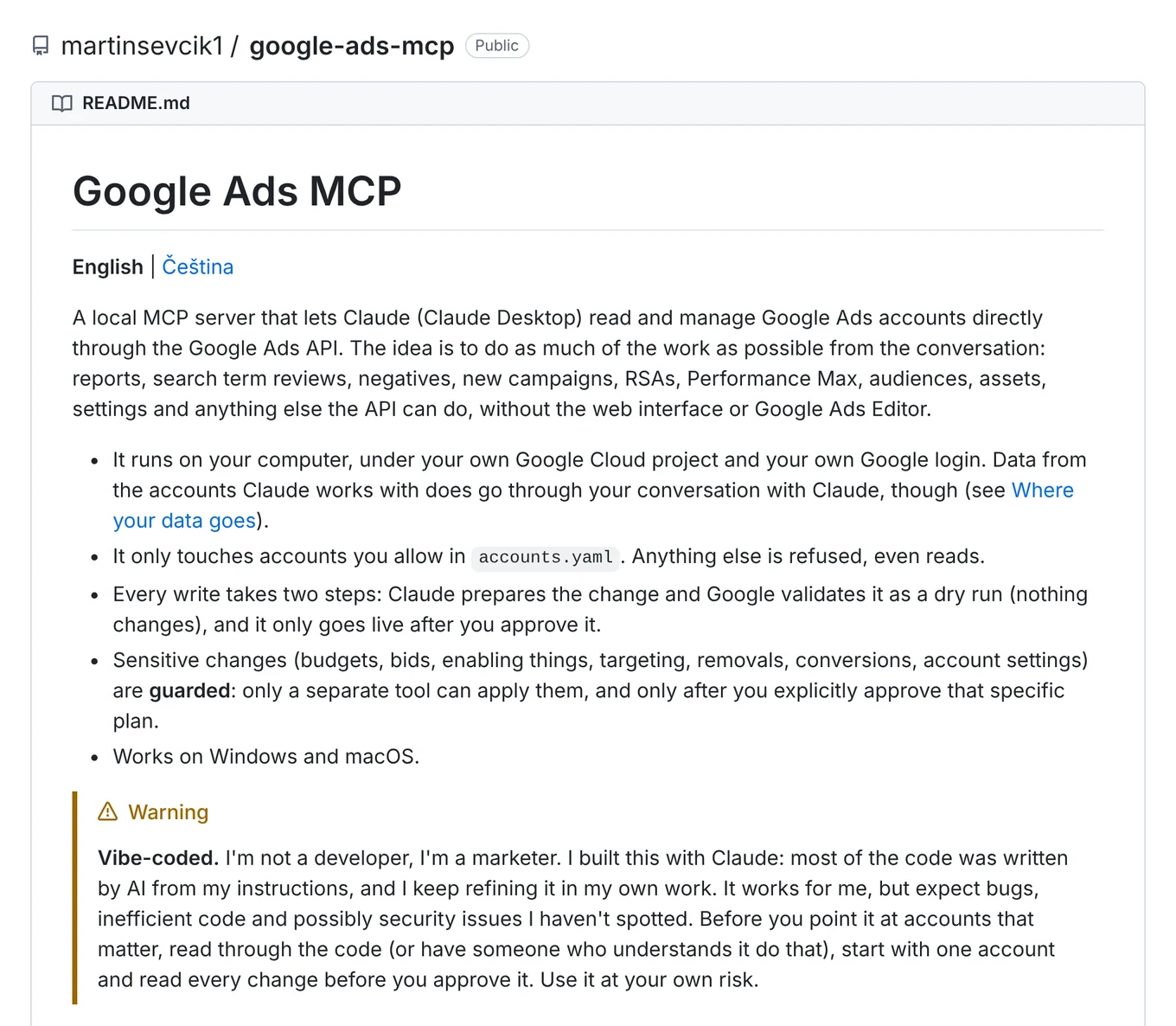
It’s half right. AI really did write most of the code from my briefs, and I keep tuning it as I use it in my own work. It may have bugs, slow spots and security holes I haven’t found yet.
That’s why nothing gets written without a preview and approval, and why the tools run on your computer rather than on someone else’s server. And that’s why the code is public. More people looking at it will find more bugs than I would on my own.
Working with accounts is about five times faster, and it changes what a marketer gets paid for
My estimate today is that I work with ad accounts about five times faster than a year ago. I didn’t time it with a stopwatch. The biggest difference isn’t in hours anyway, it’s in my nerves. The energy I used to burn clicking through campaigns one by one now goes into the things a marketer is paid for: how the offer stacks up against competitors and whether the campaign makes sense at all. Judging by what it brings me, I should have built it ages ago.
There’s a less pleasant side to it, too. Setting up a campaign now takes minutes, and what worked a year ago is passé. Anyone still spending days clicking one item at a time is competing with people who don’t. Last year I was one of them, so I’m not judging anyone. I just wouldn’t bet on it for another year. Why this hits single‑channel roles hardest is something I went into in What will a marketing team look like in 2030?
For companies hiring a marketer, this is actually good news. Ask them how they work and what they think about, not how many hours they clicked.
Before you let AI into an ad account, ask yourself five questions
If you’re tempted to try it, with my tool or someone else’s, answer these first. They’re the reason I built the whole thing myself:
- Does the tool show you a change before it writes it?
- Where are the keys to your accounts, and who has access to them?
- Does it treat a budget or bid change differently from an ordinary one?
- Where does personal data flow, and do you have an agreement covering it with both your client and the AI provider?
- Who do you report a bug to, and who fixes it?
Try to break the tools and tell me what doesn’t work
You can check my answers to all five yourself, because both tools are free on GitHub under the MIT license, with docs in English and Czech:
- google‑ads‑mcp: github.com/martinsevcik1/google-ads-mcp
- sklik‑mcp: github.com/martinsevcik1/sklik-mcp
If you run into something, open an issue in the repo. Security issues, please send me by email instead. And if the tools save you time, I’d appreciate a star on GitHub or a few lines in a Google review.
And if you’re still putting together spreadsheets for bulk imports, tell me whether the tool would take that job off your hands. It took it off mine.
P.S. Yes, this article was written with AI too. Using another tool I built for writing. But that’s a story for another time.